

Know exactly what you have available to spend, today and this month.
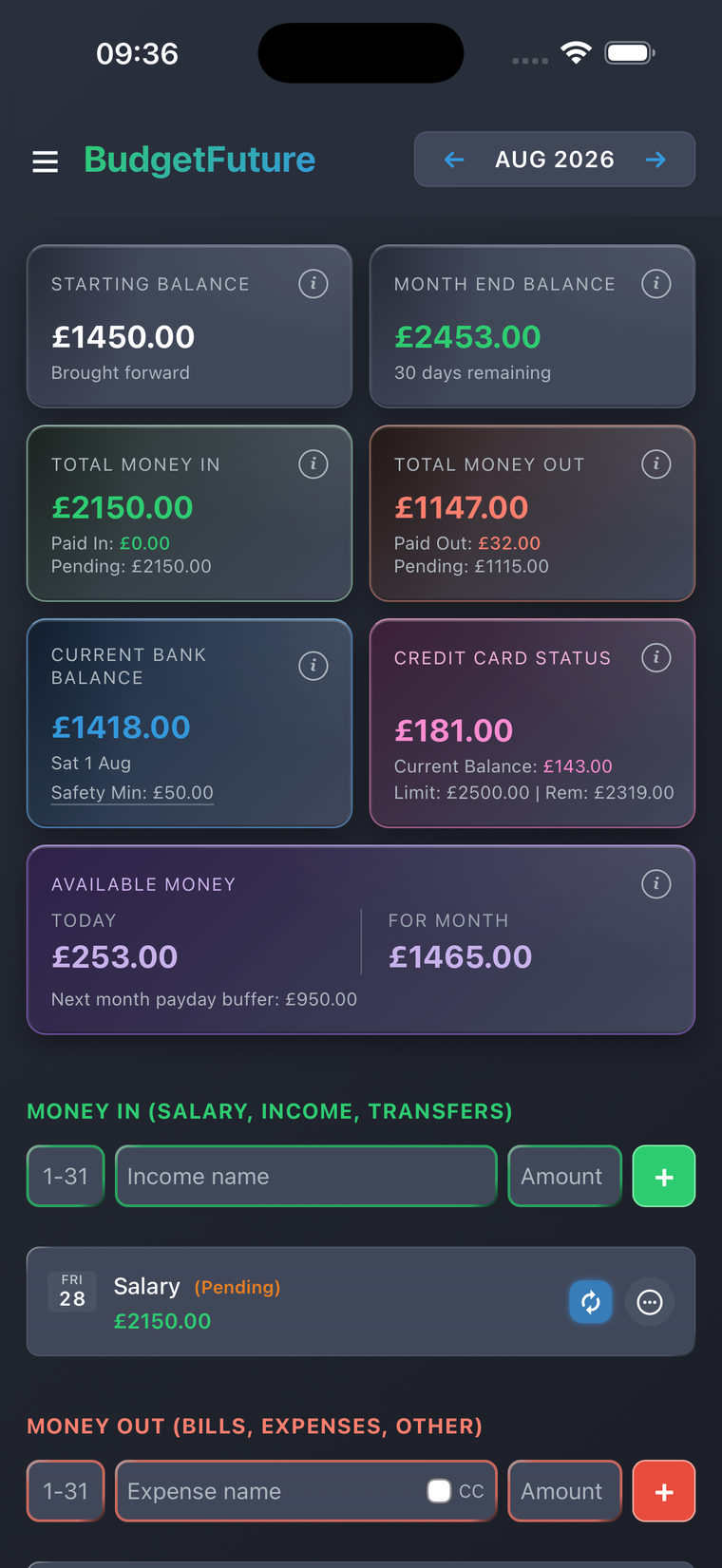
BudgetFuture is a forward-looking cash flow planner for iPhone and iPad. Enter your bills, income, and credit card spending, and mark the regular ones as recurring so you only enter them once.
BudgetFuture then works it forward. Everything still due to leave your account is set aside first, so what you see — available today, and available for the rest of the month — is money you can genuinely spend, not just what happens to be sitting in the bank.
BudgetFuture pays particular attention to credit card spending. Available Money subtracts what you owe on the card, so a month of card spending can't make your bank balance look more spendable than it is. Don't use a credit card? No problem: everything else works exactly the same without it.
How it works
Set your starting balances — what's in the bank, and what you owe on your card — then enter this month's bills and income. Add a bank Safety Min and you'll be warned if the month dips under it.
Add next month's bills and dates, then set a payday buffer so they're covered before payday arrives.
See exactly what's available to spend — today and by month end — updated automatically as things get paid.
Plan ahead, not just look back
Add next month's known bills and income, and BudgetFuture starts genuinely forecasting ahead — not just tallying what's already happened.
See what's really available
Available Money shows exactly what's left today — and by the end of the month — once your remaining bills are covered, with enough set aside for whatever's due before next month's payday lands.
On your home screen
Add the widget and your available money is there without opening anything. Two sizes — one showing Today, one showing Today and For Month side by side. It updates itself each day.
Notified, not nagged
Some payments you have to make yourself. Flag those, and BudgetFuture tells you at 8am on the morning one is due — and again the next morning if it's still outstanding. Never daily, and nothing leaves your device.
Try free, buy once
Full access free for 90 days. Like it? One simple one-time purchase — no subscription, no ads.
Private by design
No account, no server, no bank connection, no analytics or tracking. Everything you enter stays stored on your own device — and you can export it to a file any time, so a new phone doesn't mean starting over.
I took an accountancy course after the 2008 crash. It introduced the concept of tracking money in against money out, and balancing the two.
I built a spreadsheet to do that with my own money, and I've run my life on it for sixteen years. This year I turned it into an app.
Paul, who built BudgetFuture